
ClamAV Antivirus Native Win32 Port - 1.5.2
This is an unofficial native port of the well-known ClamAV Antivirus. This port is used in ClamWin Antivirus.
Available builds:
- clamav-1.5.2-x64.7z (64-bit): Built with Visual Studio 2022. Compatible with Windows 7 and later (64 Bit only).
- clamav-1.5.2-legacy-x64.7z (32-bit): Built with MinGW-w64. Compatible with Windows XP 64 Bit and later. Uses a custom compatibility layer (Beta quality).
- clamav-1.5.2-legacy-x86.7z (64-bit): Built with MinGW-w64. Compatible with Windows NT4 and later. Uses a custom compatibility layer (Beta quality).
- clamav-1.4.4-legacy-win9x.7z: Built with MinGW-w64. Compatible with Windows 98 SE. (Very unsupported, don't use this version on newer systems).
Notes
- The registry key for config directory is changed from ConfigDir to ConfDir.
- x64 package is built with Visual Studio 2022 and needs Microsoft Visual C++ Redistributable for x64.
- The Legacy versions rely on a custom compatibility layer, making them experimental and beta quality.
- You can safely remove api-ms-win-core-synch-l1-2-0.dll and bcryptprimitives.dll from previous versions
- The 32-bit version may struggle with the current size of the ClamAV signature database, especially when performing a clamd reload.
- On Windows NT 4, you may need to set the
OPENSSL_ia32capenvironment variable to~0x1000000as NT4 does not support SSE (to avoid an illegal instruction error).
Update: Not needed since the x86 legacy build is compiled without SSE support now. - You can use updated version of clamav binaries with ClamWin, download 32bit version, extract and replace all files in ClamWin bin directory, you also need to replace clamwin.zip in the ClamWin lib folder with this one.
Source Code
The source code is available on GitHub.
I spent many sleepless nights creating and debugging the Windows XP compatibility layer. If you appreciate this effort, please consider donating.
Changelog (Date are DMY)
- [11/03/2026] 1.5.2 + 1.4.3 new upstream releases
- [05/11/2025] 1.5.1 new upstream release
- [14/10/2025] 1.5.0 + 1.4.3 new upstream releases
- [10/03/2025] 1.4.2-r1 fixed windows services, added syslog via eventlog
- [09/03/2025] 1.4.2 new upstream release
- [28/09/2024] 0.103.12 new upstream release
[Features]
- small footprint
- native msvc win64 port, legacy mingw 32bit/64bit build for WinXP+
- support for unc paths, exotic/long file names
- nice icons ;)
- memory scanner (in memory loaded modules are scanned on-disk)
- llvm (msvc build only)
- clamd and freshclam as Windows Service
[Misc files]
- DNS checker A little tool to check if your dns is working
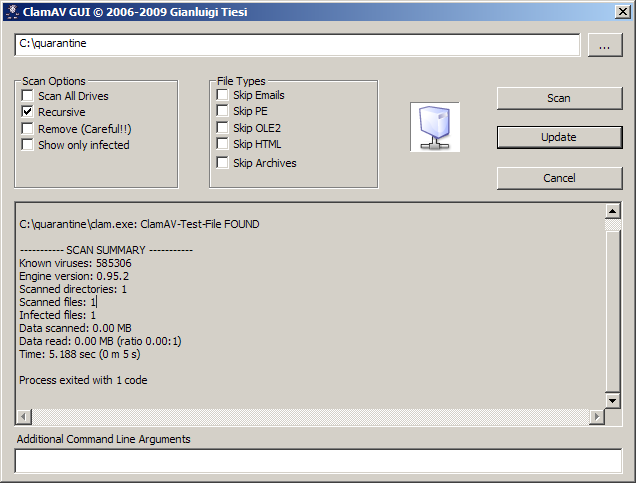
- ClamAV-GUI.7z GPL, sources on GitHub
A simple GUI suitable for recovery bootable media
[NOTES]
- .7z files are 7-zip compressed files.
- Memory scan of System processes needs Debug Privileges, on Windows XP Home Debug Privileges are disabled by default, thus you can use this little program to enable them. After executing it you'll need to reboot.